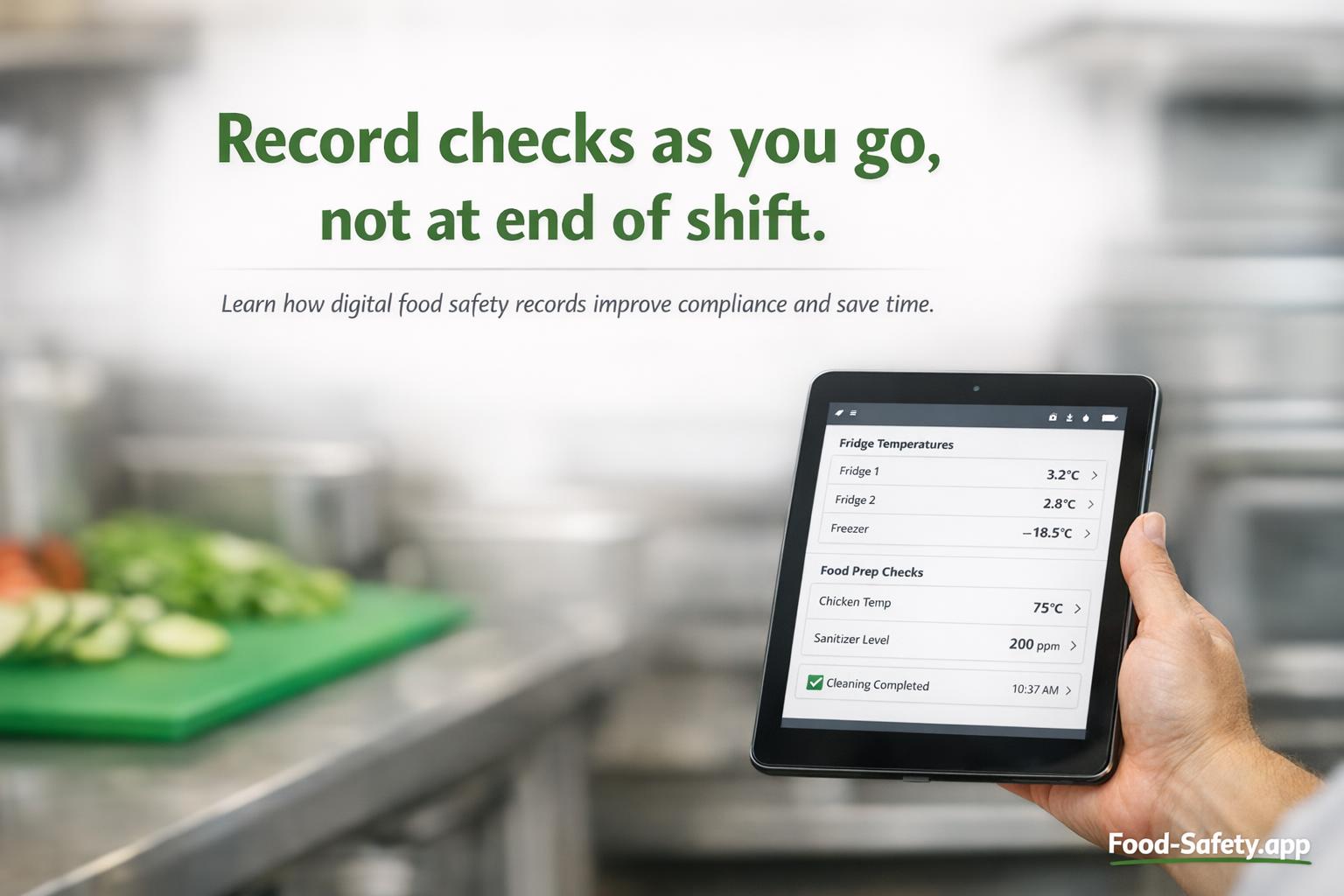
Digital food safety records are becoming a practical way for catering and hospitality businesses to stay organised, cut paperwork, and keep daily checks visible across a busy shift. Used well, digital food safety records can make compliance easier to manage, help teams spot problems sooner, and reduce the time spent chasing missing sheets or unclear handwriting. In a commercial kitchen, that can mean faster action when something goes wrong and better control over the paperwork that supports your food safety system. This aligns with HACCP principles.
This matters whether you run a restaurant, hotel kitchen, school canteen, café, takeaway or catering unit. The exact approach can vary by business and by country, but in the UK the main principle is the same: records should help you show that your controls are working in day-to-day service, not just sit in a folder after the event. This includes Allergen management techniques.
Table of contents
- What are digital food safety records?
- What are they used for in a commercial kitchen?
- How digital food safety records help
- What to record digitally
- How to make digital records work during busy service
- Common mistakes to avoid
- What to look for in a digital system
- Moving from paper to digital records
- Final thoughts
What are digital food safety records?
Digital food safety records are electronic versions of the checks and logs a food business uses to manage safety and hygiene. Instead of writing everything on paper, teams record information on a tablet, phone, computer, or a dedicated app. That might include fridge temperatures, cleaning checks, allergen controls, delivery checks, maintenance issues, or pest sightings.
In practical terms, they are the same sort of records many kitchens have always used, but stored and managed digitally. The benefit is that the information can be quicker to enter, easier to review, and easier to share with managers across one site or multiple sites.
Typical examples include:
- Temperature checks for fridges, freezers, hot holding, and cooked food
- Cleaning schedules and sign-off records
- Delivery checks for chilled, frozen, and dry goods
- Allergen checks and label verification
- Maintenance reports for equipment faults
- Pest sighting logs and follow-up actions
- Staff training records and competency checks
What are they used for in a commercial kitchen?
Records are there to prove that the controls in your food safety system are being carried out consistently. In a busy service, it is easy for a team to forget whether a fridge check was done, whether a cleaner signed off a station, or whether a delivery issue was followed up. Digital food safety records help keep those tasks visible and traceable.
For example, if a fridge is running warm at 8.30am, a manager can see the result immediately, arrange action, and keep a note of what was done next. That could mean moving high-risk food to another unit, calling maintenance, or discarding food if safety has been affected. The key point is not just recording the problem, but showing the corrective action as well.
How digital food safety records help
Digital systems can help in several practical ways, especially where teams are stretched and shift patterns change often.
They save time on routine checks
Paper logs often need printing, filing, checking, and chasing. Digital food safety records reduce that admin. A team member can complete a check on a device and move on with service, while managers can review everything later without sorting through loose paperwork.
They improve legibility and consistency
Handwriting can be rushed, messy, or incomplete during a lunch rush. Digital forms can use simple prompts, dropdowns, and required fields so the team records the right information every time. That makes audits, manager reviews, and handovers much easier.
They make missed checks easier to spot
If a record is incomplete, the system can flag it quickly. That is useful in catering, where one missed cleaning check can lead to bigger gaps later in the day. It also helps when different teams share the same area, such as hotel banqueting, school catering, or multi-site operations.
They help managers act faster
If a check shows a problem, managers can see it straight away instead of discovering it days later in a paper folder. That means corrective action can be taken sooner. In food safety, speed matters because the longer a problem stays hidden, the harder it is to control.
They support better oversight across multiple sites
For operators with more than one location, digital food safety records make it easier to compare standards, identify repeat issues, and support managers who are not always on site. This is especially useful for catering businesses with split shifts, remote prep areas, or satellite kitchens.
What to record digitally
Not every record needs to be digital, but many of the most important daily checks are ideal for it. The best starting point is the paperwork that causes the most delay, the most mistakes, or the most lost documents.
Useful records to digitise first:
- Opening and closing checks
- Fridge and freezer temperature monitoring
- Delivery inspection logs
- Cleaning checklists for high-risk areas
- Cook, cool, and reheat checks where relevant to your process
- Allergen controls, such as label checks and segregation checks
- Maintenance and defect reports
What a good entry should include:
- Date and time
- Name of the person completing the check
- Equipment or area checked
- The result
- Any issue found
- Corrective action taken
- Who was informed if escalation was needed
A simple example is a fridge check that shows a temperature above your usual operating range. The record should not stop at the number. It should show what happened next, such as moving food, isolating the unit, and informing the manager or engineer. That is the kind of detail that makes records useful.
How to make digital food safety records work during busy service
The best system is the one your team will actually use. If digital records are slow, confusing, or tied to a device that is always needed elsewhere, they will be skipped. That is why the setup matters as much as the software.
Keep checks short and practical
Most daily records should take seconds, not minutes. Use short forms, clear questions, and only ask for information that helps you control risk. A long checklist that nobody completes properly is less useful than a shorter one that gets done every time.
Place devices where checks happen
If temperature checks are done at the prep fridge, the device should be close to that fridge. If closing checks are done at the wash-up area, there should be a simple way to complete them there. Convenience is a big part of compliance in a busy commercial kitchen.
Build checks into the shift routine
Digital records work best when they are linked to normal routines: opening, delivery, mid-shift, end of service, and close-down. Assign the checks to specific roles so there is no confusion over who is responsible.
Train for action, not just data entry
Staff need to know what to do when a check fails. For example, if a chilled unit is out of range, the action should be clear: move food, report it, record the decision, and follow the escalation route. A good digital system should help staff record those steps, not replace judgement.
Common mistakes to avoid
Digital food safety records can fail for the same reasons paper records fail: poor habits, weak supervision, and unclear expectations. A few common mistakes are easy to spot and prevent.
Only recording the numbers
A reading without context does not tell the full story. Always record the follow-up action if something is outside limits or looks wrong.
Using too many forms
If every task has a separate form, staff may lose time switching between screens. Keep the structure simple and focused on the highest-risk checks.
Not reviewing records regularly
Records are only useful if someone checks them. Managers should review trends, repeated faults, and missed entries so problems are corrected early.
Assuming digital means automatic compliance
A system can help, but it does not replace supervision, training, or good hygiene practice. The controls still need to be understood and carried out properly by the team.
What to look for in a digital system
If you are considering digital food safety records, choose a system that suits a working kitchen rather than a desk. The most helpful tools are usually the simplest to use under pressure.
Useful features include:
- Simple mobile or tablet access
- Automatic date and time stamps
- Required fields for key checks
- Alerting for missed or failed checks
- Easy reporting for managers
- Photo upload for defects or delivery issues
- Clear audit trail for completed actions
It is also worth checking that staff can use the system without lots of training. In catering, the tool has to fit around service, not interrupt it. For temperature control, see Temperature control.
UK guidance and local expectations
In the UK, food businesses are expected to keep appropriate records as part of their food safety management procedures, but the exact format can depend on the type of business and the controls in place. For general public guidance, the Food Standards Agency is a useful starting point. Other countries may have different rules, so businesses operating across borders should check local requirements. For more on Food hygiene ratings and inspections, see related guidance.
Moving from paper to digital records
Switching from paper to digital records works best in stages. Start with the paperwork that is most likely to be missed, delayed, or hard to review. Many businesses begin with temperature logs and cleaning schedules because those checks happen daily and create a lot of manual admin.
Moving from paper to digital records works best in stages. This approach can also help reduce Cross contamination risks by improving traceability.
A simple rollout plan:
- Choose one area or one set of checks to digitise first
- Keep the form short and relevant
- Train the team on what to do when a reading is outside range
- Test the system during service, not just in quiet time
- Review completed records after the first week
- Adjust the form if staff are skipping steps or adding unnecessary notes
If your kitchen is already using paper logs well, digital records should not add unnecessary work. They should make the same process easier to follow and easier to check.
Final thoughts
Digital food safety records are most useful when they help the team do three things well: record checks quickly, spot problems early, and prove that corrective action was taken. For restaurants, hotels, schools, cafés, and catering teams, that can mean less admin, better visibility, and fewer gaps in the paperwork that supports food safety.
The best systems are practical, easy to use in a busy kitchen, and built around the way service actually runs. If you are improving your own paperwork and digital processes, a food safety management system for catering businesses such as Food-Safety.app can support consistent record keeping without adding unnecessary complexity.
Used properly, digital food safety records do not replace good management. They make it easier to manage it well. For more on Food safety culture and management, see resources on building a stronger safety culture in your kitchen.